InterBase Change Views – Part 2 – Creating a Change View

If you have ever spent time planning how to identify what data has changed, then change views is about to simplify the way you develop for ever!

If you haven’t already read Part 1 of InterBase Change Views this provides a high level overview of the technology.

Steps for creating a Change View

Rather than having to create and manage triggers to add records into log tables or planning additional date fields into your metadata (and hoping date & time changes don’t effect you) Change View are easily added to a project once the simplified architecture is complete.

There are two essential steps in creating a successful change view:

  1. Defining the purpose of the Change View and the data you want to track
  2. Defining who can subscribe to the change view

1) Creating a change view

Lets start with a simple example. We want to keep our sales fulfilment application up-to-date with the latest stock and suppliers information. This data is stored in two tables, INVENTORY and SUPPLIERS.

Example 1 – Multiple Tables

CREATE SUBSCRIPTION 
  sub_stock
ON 
  INVENTORY FOR ROW (INSERT, UPDATE, DELETE),
  SUPPLIERS FOR ROW (INSERT, UPDATE, DELETE)
DESCRIPTION 'Track stock and supplier changes';

Subscriptions are created with the CREATE SUBSCRIPTION statement followed by a subscription name that you will need to use in SQL later on.

The simple example tracks all columns in the tables INVENTORY and SUPPLIERS for Inserts, Updates and Deletes.

The description allows easy identification of the subscriptions purpose later on.

Example 2 – Specifying Columns

We may have a requirement to track product name changes for our application. We can do this also with a change view.

CREATE SUBSCRIPTION 
  sub_stockname
ON 
  INVENTORY(ITEM_NAME) FOR 
    ROW (INSERT, UPDATE, DELETE)
DESCRIPTION 'Track stock name changes';

Example 2 is more granular than example 1 and tracks only a single column ITEM_NAME in the INVENTORY table. This is done by providing a comma separated list of field names for the table that you want to track.

Example 3 – Tracking Deletes

We may also want to track deletions from a specific table, lets say ORDERS. A Change Views just tracking DELETE activity on  a table will provide a way to recover data if it is deleted

CREATE SUBSCRIPTION 
  sub_orderDeletes
ON 
  ORDERS FOR 
    ROW (DELETE)
DESCRIPTION 'Track Order Deletions';

Using a Change View to track deletes is a powerful feature as you can completely recover the record at its state when it was deleted.

2) Defining who can use a change view / subscription

Once a subscription is created, you need to grant SUBSCRIBE access to the subscription. To do this use the standard GRANT syntax. e.g. (for user SYSDBA)

GRANT SUBSCRIBE ON SUBSCRIPTION sub_stock TO SYSDBA;

InterBase Documentation

For more on Change Views visit the InterBase DocWiki

In my next blog, I’ll look at using a change view
InterBase Change Views – Part 1 – What is a change view

This is the first post of a series on InterBase Change Views and is intended to be a high level overview of the new powerful change view technology that is patent pending and part of InterBase. Following this post I plan to show more posts taking the concept of Change Views into the real world with some real application examples.

InterBase Change Views

InterBase XE7 introduces a new way to track data changes to the database called Change Views.

Change Views are a new “subscription based” model allowing you to “subscribe” to data; once subscribed you are able to ask the database at a later time, spanning connections, for what has changed.

This is an especially cool, low cost way to reduce network traffic, mobile data costs and development time when tasked with keeping multiple remote database caches up to date. (especially if you have large tables to keep up dated).

Change Views are simple to use and reduce the upfront planning needed for building in data tracking that history has shown to be inherently complex and error prone.

Best of all change views has zero impact on database performance regardless of the number of subscribers!

Subscription & Subscribers

A core concept to change views is that of Subscriptions and Subscribers.  InterBase Change view allows multiple subscribers to a subscription.

A subscription is defined once and then can be connected to by multiple users. Once defined, you can control who can subscribe thanks to the InterBase inbuilt user security.

Subscriptions work at field level and can be defined to track either an entire table or multiple tables. Subscriptions can also be defined to track Inserts, Updates or Deletes (or a mix of)

Multiple devices per subscriber

In addition to allowing specific users to subscribe to data, you can use a single user to have multiple destinations that are subscribing. This allows a user to subscribe for different devices such as their Phone, Tablet, Laptop or for a single user to be used programatically to distinguish multiple sites – e.g. Office 1, Office 2 etc.

This is done using the “at” verb when connecting to the subscription.

What Change Views are not!

Change Views are not an auditing system. While you can track deleted records, Change View are about identifying what has changed without keeping every value that it has been. If you want to do that, then continue to use Triggers and logging tables for the values you need to audit.

Video – Change Views

An overview of Change Views is available in the InterBase product address from CodeRage 9. I will be digging into more code based versions through this series. This covers the syntax used

Documentation – Change View

There is a great introduction to InterBase Change Views in the release notes for InterBase XE7
http://docwiki.embarcadero.com/InterBase/XE7/en/What’s_New_in_InterBase_XE7#Change_Views_Feature


Delphi, C++ and InterBase Community

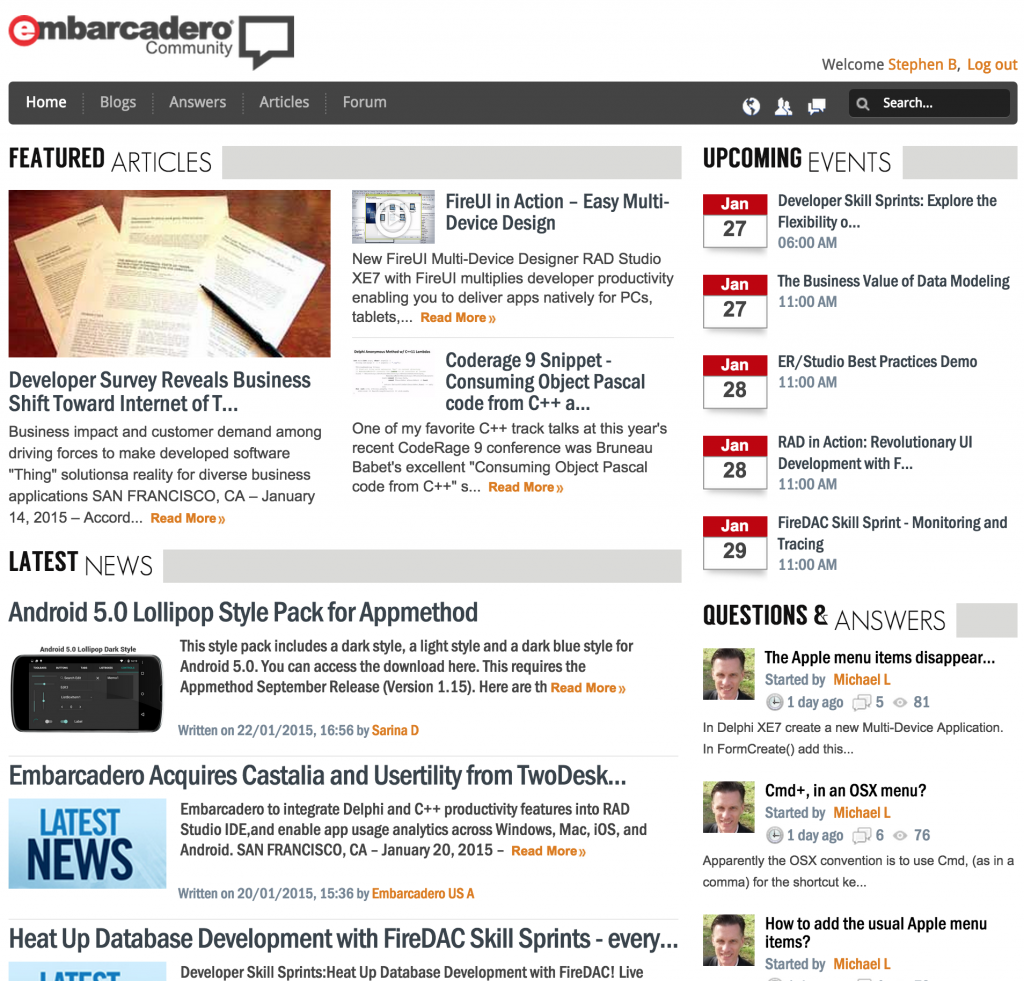
I’m sure some of you have seen the new Delphi, C++ and InterBase community platform that is being developed at Embarcadero. If not I would highly recommend a visit.

The Embarcadero Community is the new home to blogs, event diaries, latest news and features articles. While the old locations are still working, over time expect to see more and more on the community. Community is also social media ready with links for Facebook, Twitter, linkedIn and Google+

Community Welcome Page

Continue reading Delphi, C++ and InterBase Community

Free FireDAC training online

FireDAC Training

Free FireDAC training online!

FireDAC is the Universal Data Access library for developing applications for multiple devices, connected to enterprise databases.

Starting tomorrow you can join the embarcadero team for free FireDAC training online in these special sessions, where you will be taken from a beginner to an expert by showing you how to utilise FireDAC in multiple situations.

Having used multiple database technologies over the years of developing with Delphi, I have been exceptionally impressed by the raw power of FireDAC and how fast and easy it makes the most difficult jobs as a database developer.

The sessions run every Thursday from Jan 22-Mar 26 in 3 time zones so no excuse for missing out!

Register now for free

Date Topic
January 22 Introduction to FireDAC
January 29 Monitoring and Tracing
February 5 Cached Updates and Auto-inc Fields
February 12 Array DML
February 19 Cascading Options System
February 26 Preprocessing
March 5 ETL
March 12 In-Memory Dataset
March 19 Local SQL
March 26 BDE to InterBase Migration


Register now for free

Free XE7 Trial

If your not a XE7 customer you can get the most out of these session by downloading a Delphi XE7 free trial here.

Embarcadero Acquires Castalia and Usertility from TwoDesk Software

I did a blog post recently about Castalia which includes a video demoing some of the additional features Castalia adds to super charge the RAD Studio IDE.

Having played with it for over a month now, I’m really excited that it will have tighter integration in the future following the announcement yesterday that Castalia has been acquired by Embarcadero.

In addition to the news on Castalia, Usertility has also being acquired. This brings some exciting possibilities for the future around analytics and I can’t wait to see what happens further with this powerful add-on. Can’t wait to see how this fits into the single code base native IoT and multi-device development that we have today!

Full Embarcadero press release:

http://www.embarcadero.com/press-releases/embarcadero-acquires-castalia-and-usertility-from-twodesk-software


Setting the default XML DOM in Delphi XE7

Managing the default XML DOM

Scanning the whats new in RAD Studio XE7 (Delphi, C++ Builder) it covers the introduction of a new XML Dom (OmniXML) meaning there are now 3 XML DOMS to choose from when setting the default XML DOM.

  • MSXML
  • ADOM
  • OmniXML

The XML Dom defines which engine in essence is used to work with your XML documents.

Should I read on? Well if your using SOAP or XML in your projects, then this could make a difference to your speed and performance of the applications, and it takes seconds to implement.

Continue reading Setting the default XML DOM in Delphi XE7

Castalia IDE Plugin Free with XE7 (ends soon)

One present I’m going to be playing with over Christmas is the Castalia IDE plug in. If you want to know why, check out the 10 minute demo here of some of the cool refactoring and IDE tools that Castalia provides.

Don’t forget if your latest version is XE2 your last chance to qualify for upgrade pricing is now.  http://www.embarcadero.com/radoffer

The Embarcadero sales teams will be in between Christmas and new year so there is still time to code smarter in the new year.

InterBase XE7 now available!

InterBase XE7 – It’s Live!

http://embt.co/IBXE7FirstLook
I am especially proud today to blog about the launch of InterBase XE7! As the Product Manager for InterBase, I have seen the planning, development and delivery of some amazing new developments over this last year or so, and today you can get your hands on them!

InterBase XE7 – Whats new?

In short, the big headline items include

  • Change Views
  • New – 64bit Linux support
  • New – Ubuntu Linux support
  • A number of speed improvements (as you would expect)
  • 64bit transaction ID’s = longer running databases
  • Incremental data dumps for faster backup
  • Additional API support
  • Performance Monitoring updates

Change Views!

InterBase XE7 (codenamed DeltaForce during development) introduces “Change Views“, which is a whole new way to track and manage changes (Delta’s). If you have ever wanted an easy way to identify what delta data is needed to keep your local cache up to date Change Views is for you!

Change views identifies data at the field level with exceptionally low footprint on the database, regardless of 1 or 1000’s of subscribers.

Change views introduces a subscription based model that enables you to create a subscription for Inserts, Updates, Deletes to specific tables either completely or partially. A subscription can contain links to one or more tables.

“Tracking and managing data changes to multiple destinations has never been easier; just subscribe and query with SQL!”

InterBase – the 64bit database for Ubuntu!

InterBase is also now available for Linux 64bit for the first time on RHEL 6 and 7, SUSE 11 and also for the first time official Ubuntu 14 support.

Incremental Data Dumps

A data dump is a read only copy of the database. For XE7 they are suggested as the best way to backup the database due to their speed at getting the copy updated to reflect the live version quickly, managed by delta change tracking.  This can either be done via the command line using gbak, via IBConsole of via a new services API. If your using Change Views, then you should use Incremental Data Dumps to ensure subscription tracking is maintained.

64bit Transaction ID’s

One great thing about InterBase is that its an embeddable database, i.e. you can install it silently in part of your application. In the past, for exceptionally heavy users with 10’s of 10,000’s of transactions a day you used to be looking to schedule monthly backup and restore’s to ensure you didn’t run out of transaction ID’s at peak time. With XE7, transaction ID’s are now 64bit in size meaning that even if you were using 10,000 transactions a second, you can run for 150+ years (just a tad longer!)

Updated InterBase Documentation

InterBase has long been one of the best documented products at Embarcadero and along with the traditional InterBase documentation http://docs.embarcadero.com/products/interbase, InterBase XE7 also has its own docwiki site with detailed notes about the new product features http://docwiki.embarcadero.com/InterBase/XE7/en/Main_Page

Find out more….

Join me for the webinar tomorrow, or register to get the replays.
http://embt.co/IBXE7FirstLook

I will look to get more blog posts done on the new features soon.