A beacon is a Bluetooth Low Energy device including some information in its advertising data.
Working with beacons requires code to read the beacons and some setup to ensure you read only the right beacons, especially as more and more are appearing! This article mainly focuses on the latter and what you should be aware of before you deploy your beacons.
I’m sure some of you have seen the new Delphi, C++ and InterBase community platform that is being developed at Embarcadero. If not I would highly recommend a visit.
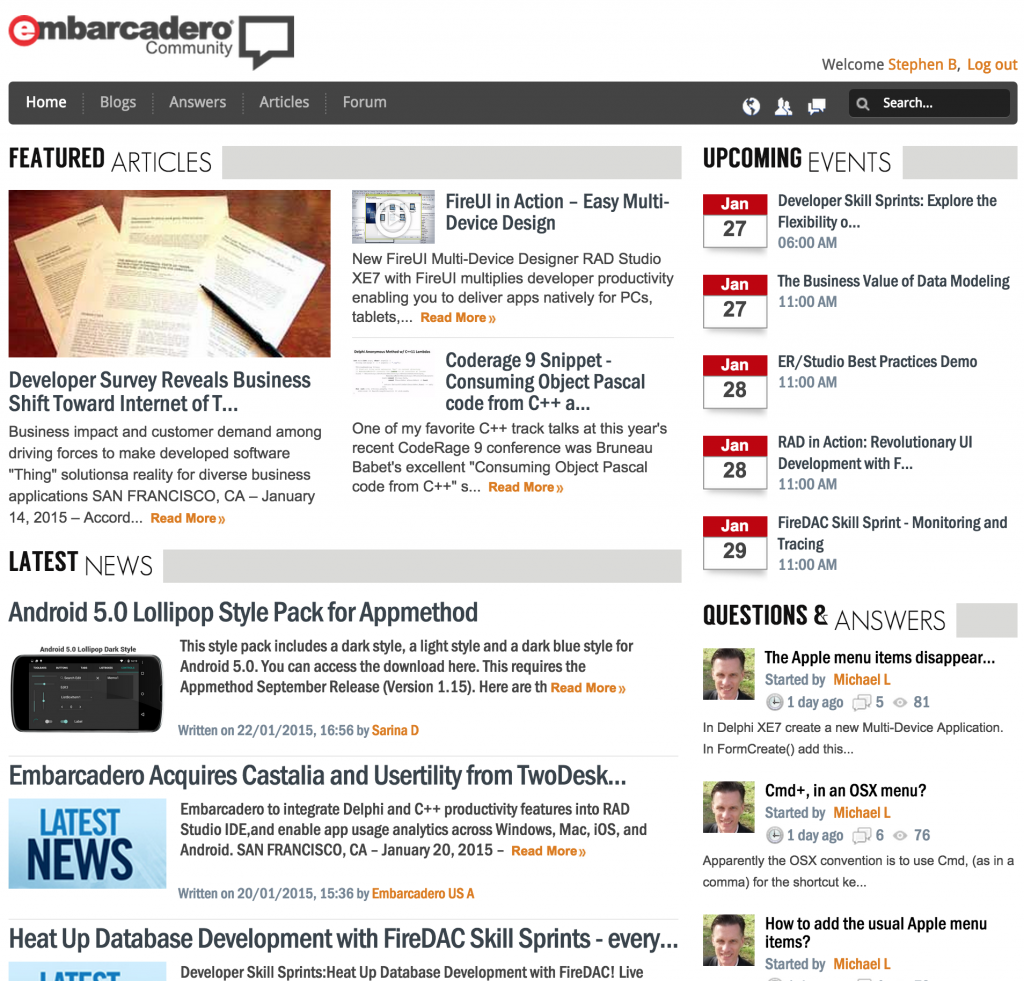
The Embarcadero Community is the new home to blogs, event diaries, latest news and features articles. While the old locations are still working, over time expect to see more and more on the community. Community is also social media ready with links for Facebook, Twitter, linkedIn and Google+
FireDAC is the Universal Data Access library for developing applications for multiple devices, connected to enterprise databases.
Starting tomorrow you can join the embarcadero team for free FireDAC training online in these special sessions, where you will be taken from a beginner to an expert by showing you how to utilise FireDAC in multiple situations.
Having used multiple database technologies over the years of developing with Delphi, I have been exceptionally impressed by the raw power of FireDAC and how fast and easy it makes the most difficult jobs as a database developer.
The sessions run every Thursday from Jan 22-Mar 26 in 3 time zones so no excuse for missing out!
The XML Dom defines which engine in essence is used to work with your XML documents.
Should I read on? Well if your using SOAP or XML in your projects, then this could make a difference to your speed and performance of the applications, and it takes seconds to implement.
The CodeRage 9 videos are now available for reply online via YouTube. To save you searching, the InterBase CodeRage 9 links I did are below; For the full list of videos from CodeRage 9 please visit the Embarcadero Community blog post for CodeRage 9
The C++ programming version demo’ed requires the data module from the Object Pascal code, so once I’ve cleaned that up I’ll post that as well.
The IBLite example code works on Windows, Mac OS X, iOS and Android. The session replays are available online via the CodeRage website. – More on the InterBase sessions in my previous post
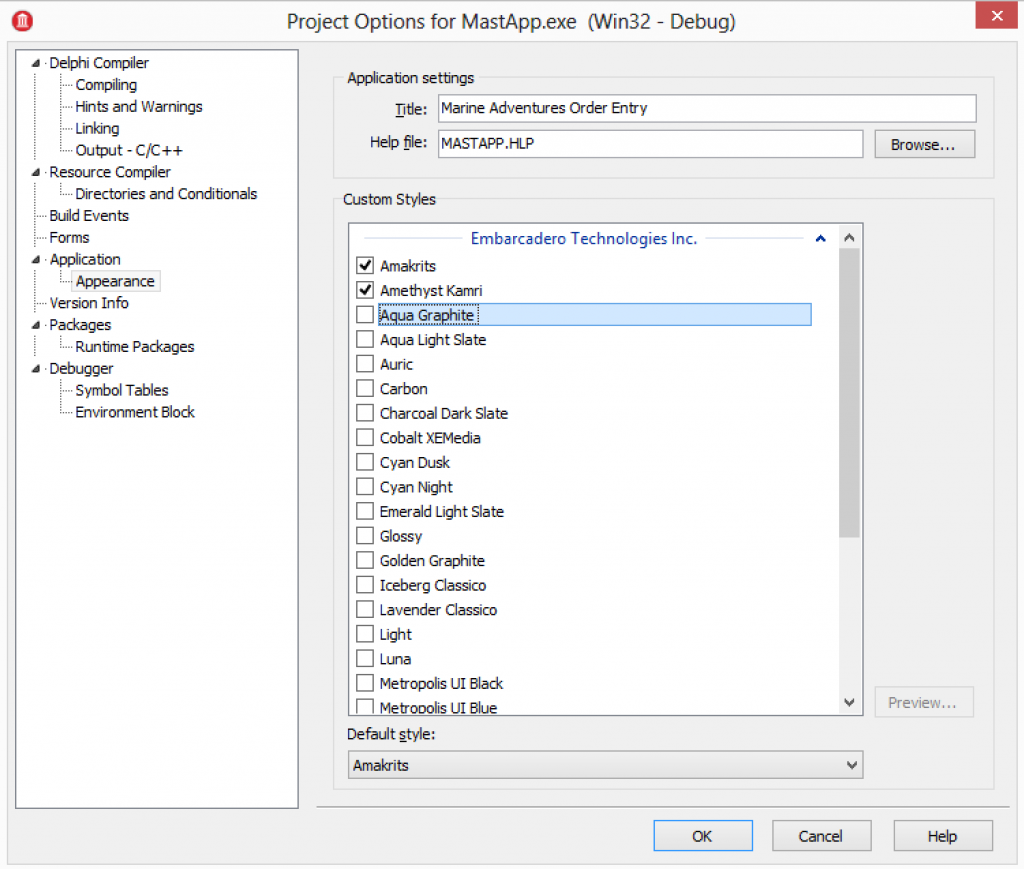
VCL Styles provide a great way to update the look and feel of your VCL applications. VCL Styles can be easily added into an application before you compile through project options > appearance options.
Adding VCL Styles via Project : Options : Appearance
While you can add VCL Styles into the application binary this way, they will increase the size of the application. If you want to avoid this, (or maybe run a mix of compiled in and dynamically loaded) you can distribute styles along side your application.
By default, VCL Styles are located at the following file path when installing your IDE.
Styles are managed via TStyleManager, a class located in unit VCL.Themes.
TStyleManager is a sealed class with a number of class methods that allow you to interact with the global application settings for the styles.
Some key properties on TStyleManager
TStyleManager.StyleNames – an array of the styles available in the application.
TStyleManager.SetStyle(StyleName : string) – the call to set the application style to a new style
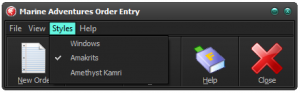
Using these basic methods, its possible to implement code that loops the styles in the application and makes them available to a menu that can then be used at run time to choose which style is selected.
TStyleManager.IsValidStyle(FileName: string) – checks a file is a valid style
TStyleManager.LoadFromFile(FileName : string) – loads a style up from file.
With the additional file based calls its possible to check for style files and load those into your application as well. – So lets do that!
VCL Styles code example
The MastApp demo that is installed by default with RAD Studio has an example of using TStyleManager. You can find the demo at:
This demo uses 2 code parts and 1 design time selection element to provide styles in the demo.
Part 1 – Compiling VCL Styles into your application.
Open the project and then choose Project > Options and go to appearance. As above, select a couple of styles and run the application. You will then see the Styles menu is updated to show these styles.
The initial code to build the menu loops the StyleNames, creates a menu item for each style, adds then links to an OnClick event to change the style.
Part 2 – Building the style list menu
procedure TMainForm.FormCreate(Sender: TObject);
var
Style: String;
Item: TMenuItem;
begin//Add child menu items based on available styles.for Style in TStyleManager.StyleNames dobegin
Item := TMenuItem.Create(StyleMenu);
Item.Caption := Style;
Item.OnClick := StyleClick;
if TStyleManager.ActiveStyle.Name = Style then
Item.Checked := true;
StyleMenu.Add(Item);
end;
end;
Step 3 – OnClick event for the Style selected.
procedure TMainForm.StyleClick(Sender: TObject);
var
StyleName: String;
i: Integer;
begin//get style name
StyleName := StringReplace(TMenuItem(Sender).Caption, '&', '',
[rfReplaceAll, rfIgnoreCase]);
//set active style
TStyleManager.SetStyle(StyleName);
//check the currently selected menu item
(Sender as TMenuItem).Checked := true;
//uncheck all other style menu itemsfor I := 0 to StyleMenu.Count -1 do beginif not StyleMenu.Items[i].Equals(Sender) then
StyleMenu.Items[i].Checked := false;
end;
end;
So: We have styles working, but you can also load them from file with very little change to the application.
Loading Styles from file and displaying them in the list of styles
VCL Styles can be loaded at run time easily using TStyleManager.LoadFromFile
Using the existing demo, its possible to have it check for a styles sub folder and read any file in there to see if its a valid style. To do this, we just need to use FindFirst, iterate the returned files and then if they are valid (something we can use TStyleManager.IsValidStyle to determine) load the files.
So the updated code looks something like this block below where we first build the path to check for VCL Style files; then check the folder exists, and if it does check each file to see if its a valid VCL Style (before loading it). Secondly, using a TStringList the styles loaded are sorted and then the sorted list is used now to build a menu for selecting the styles.
procedure TMainForm.FormCreate(Sender: TObject);
var
Style: String;
Item: TMenuItem;
i: integer;
searchResults : TSearchRec;
SearchDir: string;
SLStyles: TStringList;
begin
SearchDir := ExtractFilePath(ParamStr(0))
+'styles'+ PathDelim;
if DirectoryExists(SearchDir) thenbeginif FindFirst(SearchDir+'*.*',
faAnyFile - faDirectory,
searchResults) = 0 thenrepeattryif TStyleManager.IsValidStyle(
SearchDir+searchResults.Name) then
TStyleManager.LoadFromFile(
SearchDir+searchResults.Name);
except// Who cares.. try the next one.end;
until FindNext(searchResults) <> 0;
end;
// Sort the styles using a StringList
SLStyles := TStringList.Create;
try
SLStyles.Duplicates := TDuplicates.dupIgnore;
for Style in TStyleManager.StyleNames do
SLStyles.Add(Style);
SLStyles.Sort;
PMStyles.Items.Clear;
// build menu from sorted list of stylesfor Style in SLStyles do begin
Item := TMenuItem.Create(StyleMenu);
Item.Caption := Style;
Item.OnClick := StyleClick;
if TStyleManager.ActiveStyle.Name=Style then
Item.Checked := true;
StyleMenu.Add(Item);
end;
finally
SLStyles.Free;
end;
end;
Thats it! You can now create a sub folder for VCL styles that you ship along side your application or deploy at a later point.
For C++ use the same classes and units, just with the C++ Loops and constructs. more on VCL Styles with C++ can be found on docwiki
Free series of mobile development lessons for Android and iOS based on C++ and Object Pascal.
Earlier in the year the 2nd edition of the mobile development summer school was run by David I and Jim McKeeth. It was great fun doing the first edition and its amazing to see how some of the tech has moved on further in the year since we first ran summer school. This years was more popular than ever and has been made available on YouTube
This website uses cookies to improve your experience. We'll assume you're ok with this, but you can opt-out if you wish.AcceptRead More
Privacy & Cookies Policy
Privacy Overview
This website uses cookies to improve your experience while you navigate through the website. Out of these, the cookies that are categorized as necessary are stored on your browser as they are essential for the working of basic functionalities of the website. We also use third-party cookies that help us analyze and understand how you use this website. These cookies will be stored in your browser only with your consent. You also have the option to opt-out of these cookies. But opting out of some of these cookies may affect your browsing experience.
Necessary cookies are absolutely essential for the website to function properly. This category only includes cookies that ensures basic functionalities and security features of the website. These cookies do not store any personal information.
Any cookies that may not be particularly necessary for the website to function and is used specifically to collect user personal data via analytics, ads, other embedded contents are termed as non-necessary cookies. It is mandatory to procure user consent prior to running these cookies on your website.